
Test Outbound Scenarios
Follow these instructions to test the outbound Message scenarios.
We will create some bonded tickets in the remote instance - initially testing the outbound Message scenarios. Those bonded tickets will then also be available to test the inbound Message scenarios.
Test CreateIncident
In native ServiceNow, navigate to Incident > Create New.
The Incident fields to configure are as follows:
Caller
Person who reported or is affected by this incident.
<Your Caller>
Short description
A brief description of the incident.
<Your Short description>
Description
Detailed explanation on the incident.
<Your Description>
Your Incident form should look like this:
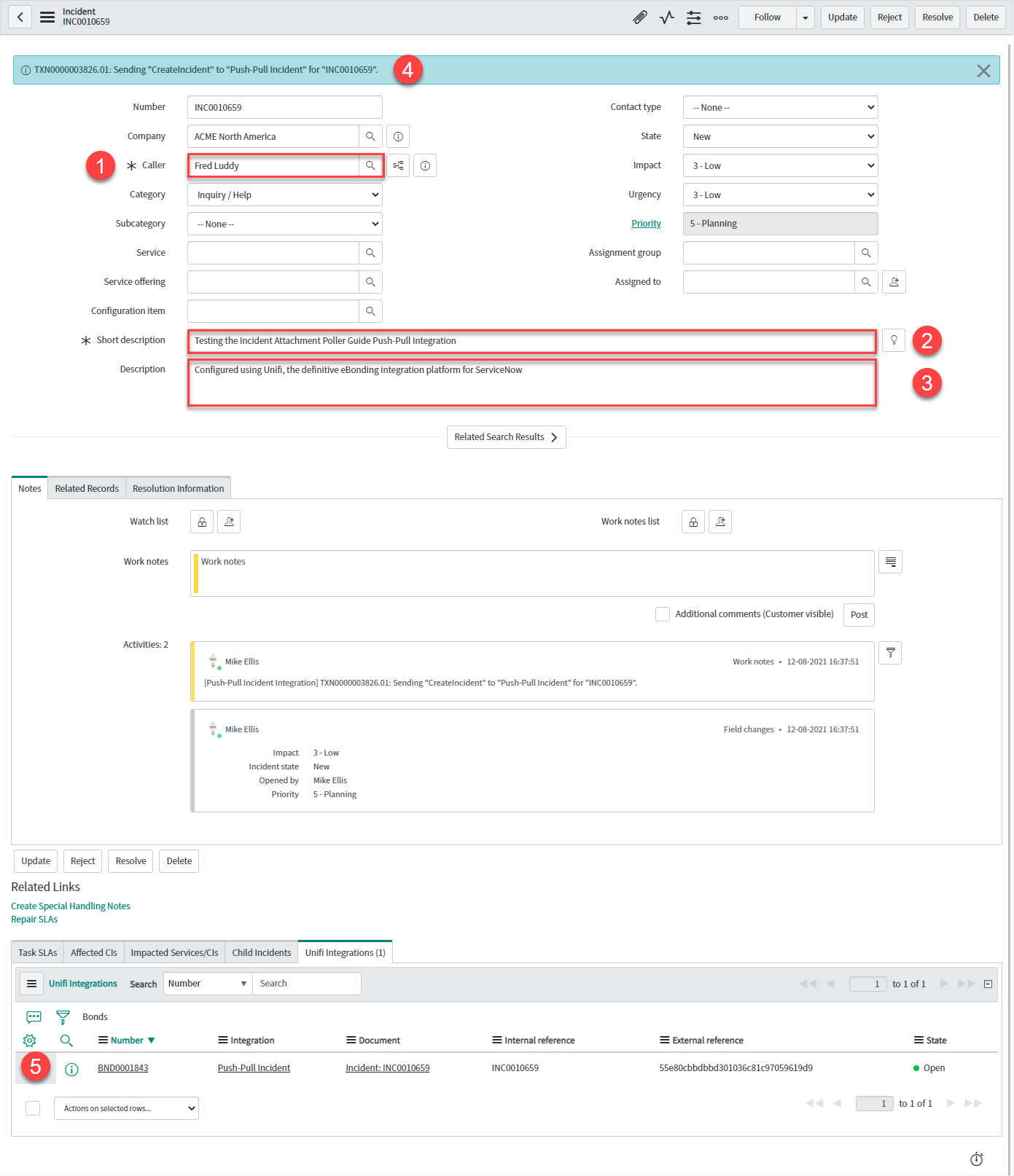
After you right-click & 'Save', note the Info Message confirming the CreateIncident Message is being sent to your Integration.
Note the Bond is 'Open' and both the Internal & External reference are in place.
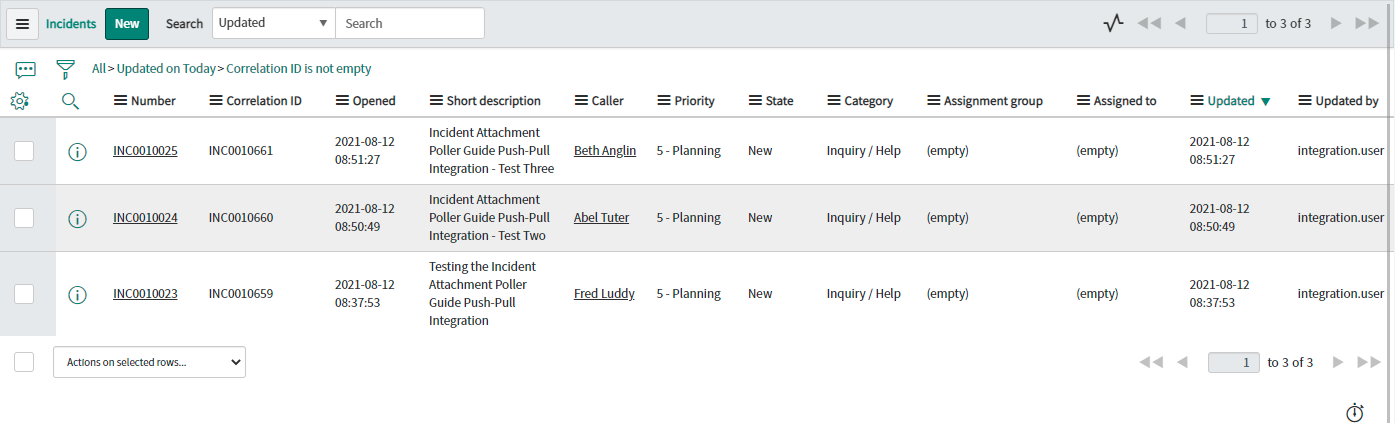
Test UpdateIncident
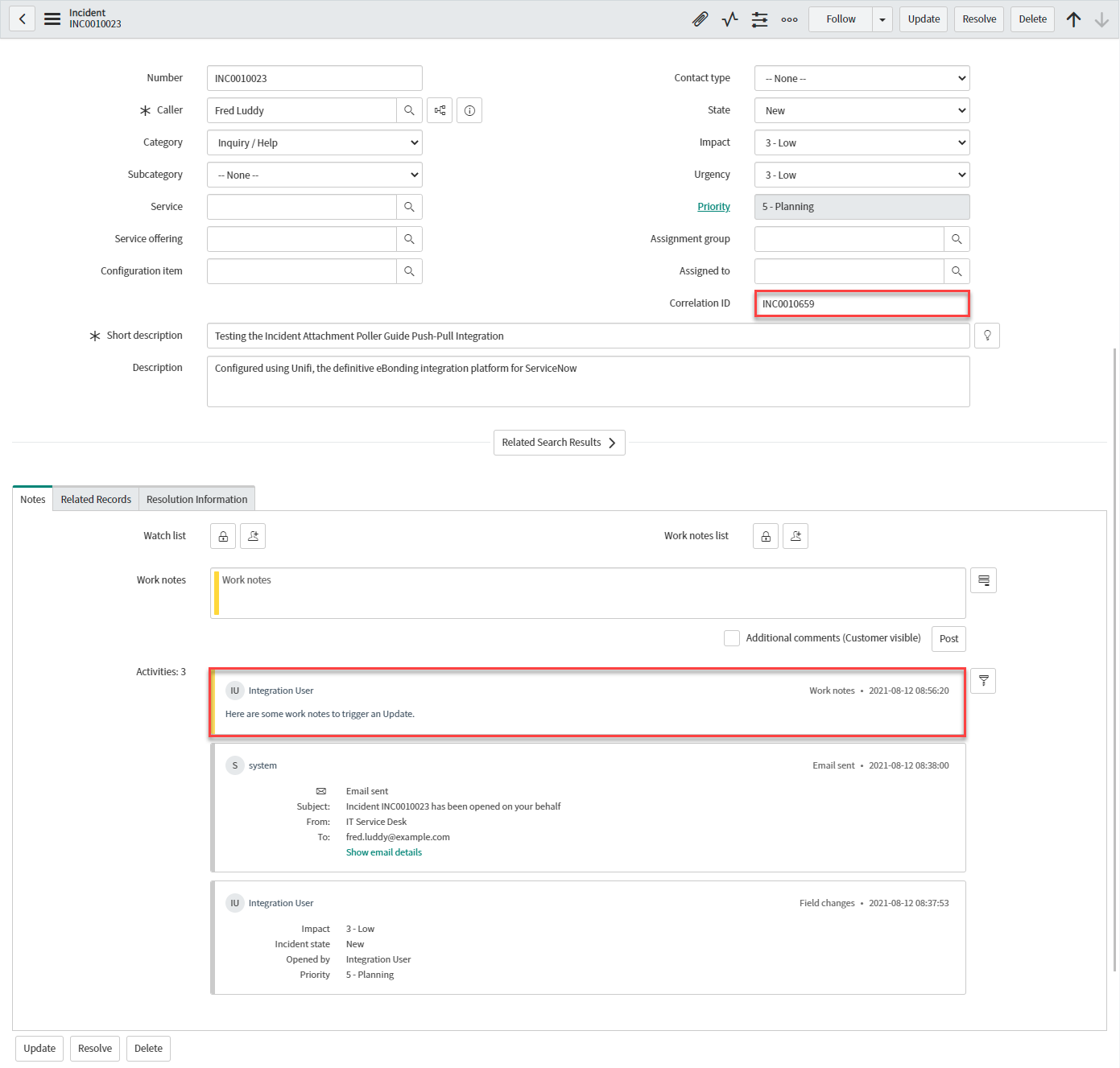
Update one of the bonded tickets in the originating instance to cause the UpdateIncident Message to fire:

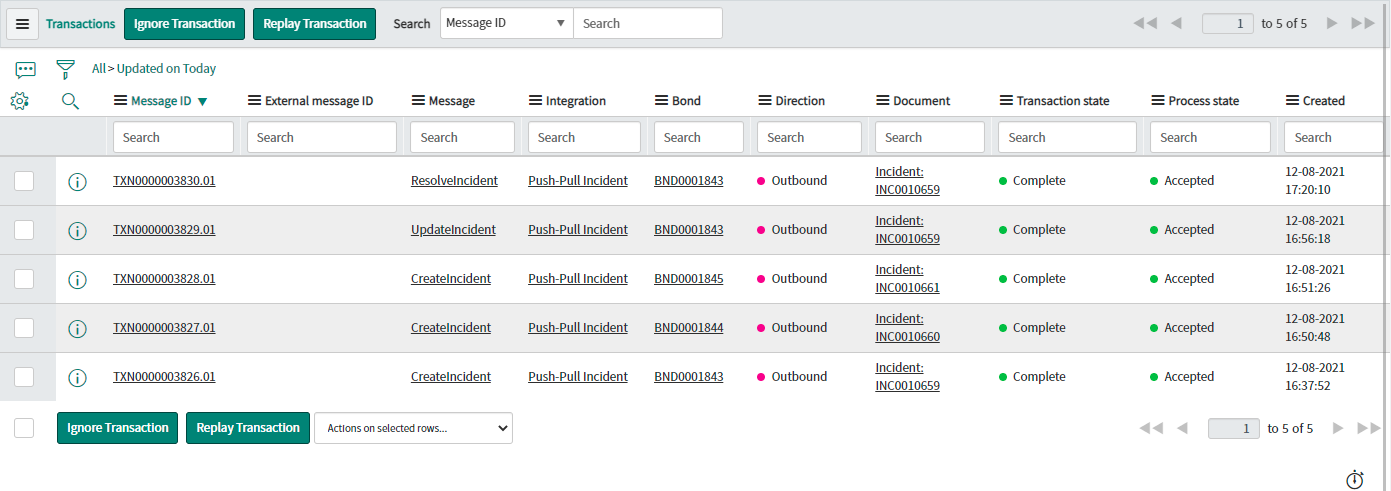
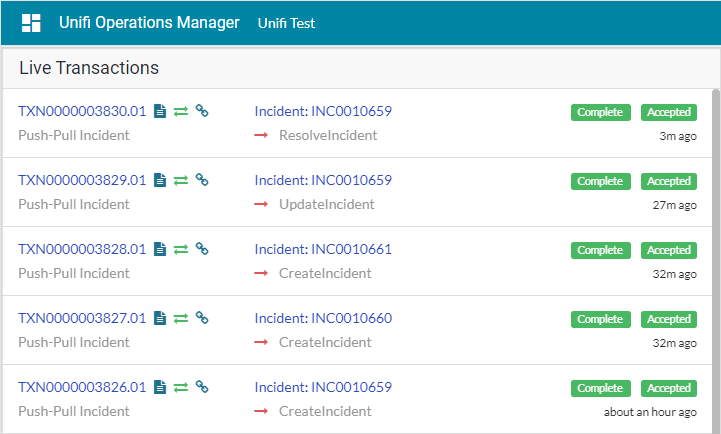
View the Transactions that have been sent. This can be done either in Native ServiceNow, or in Unifi Operations Manager.
Navigate to Unifi > Transport > Transactions.
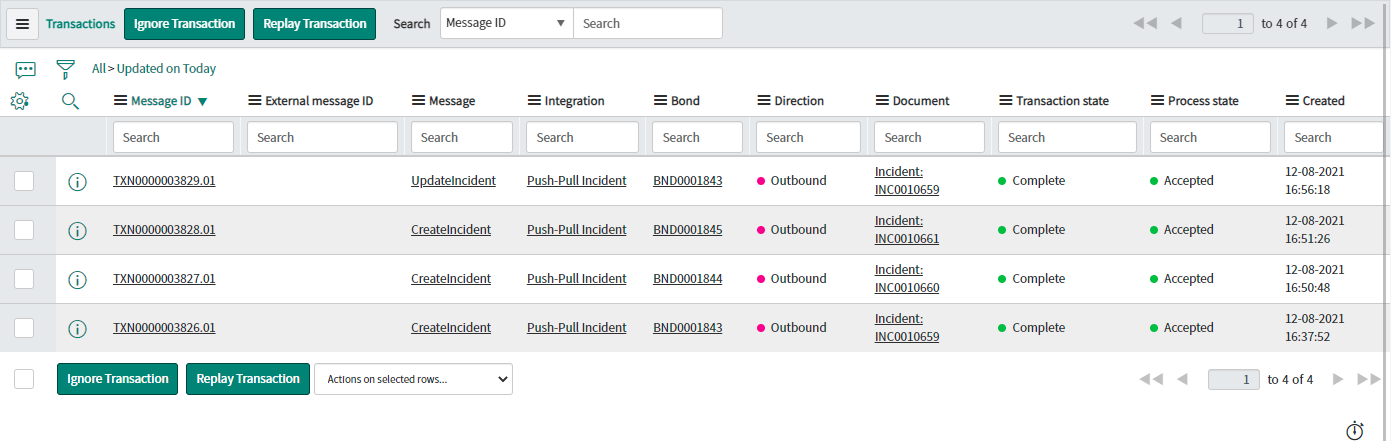
Navigate to Unifi > Unifi Operations Manager.
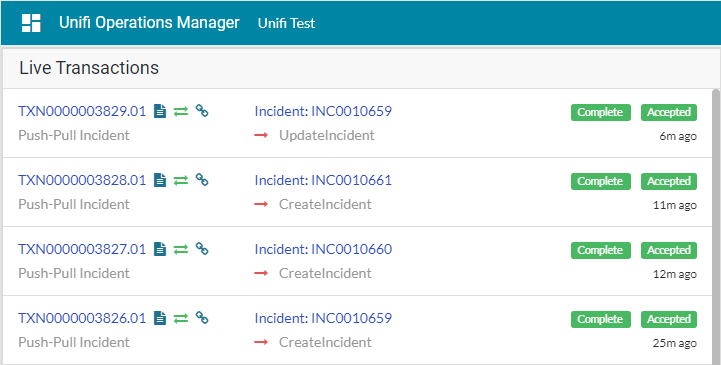
Confirm the Transaction has updated the bonded ticket in the remote instance:
Test ResolveIncident
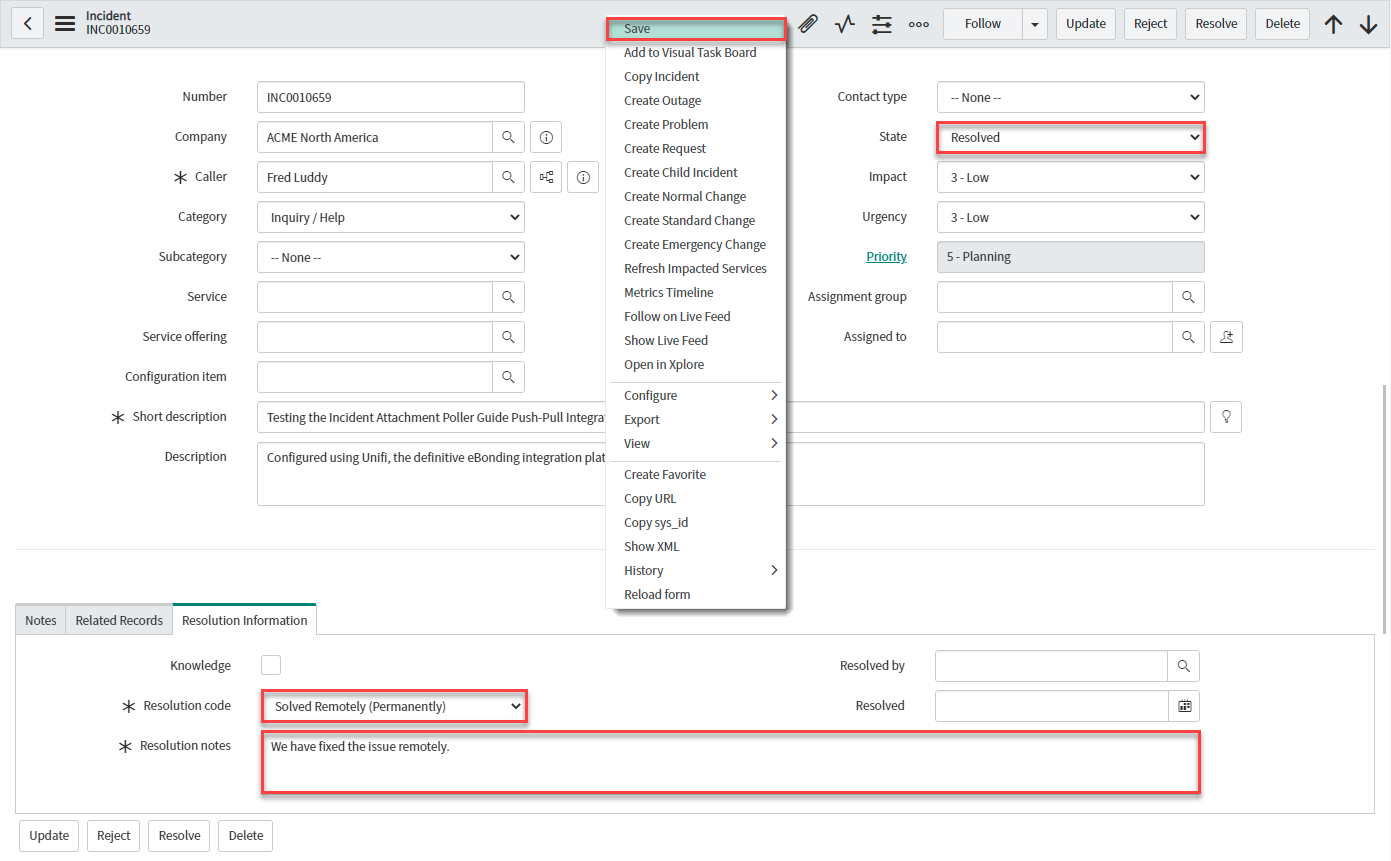
Resolve the same bonded ticket in the originating instance to cause the ResolveIncident Message to fire:
View the Transactions that have been sent. This can be done either in Native ServiceNow, or in Unifi Operations Manager.
Navigate to Unifi > Transport > Transactions.
Navigate to Unifi > Unifi Operations Manager.
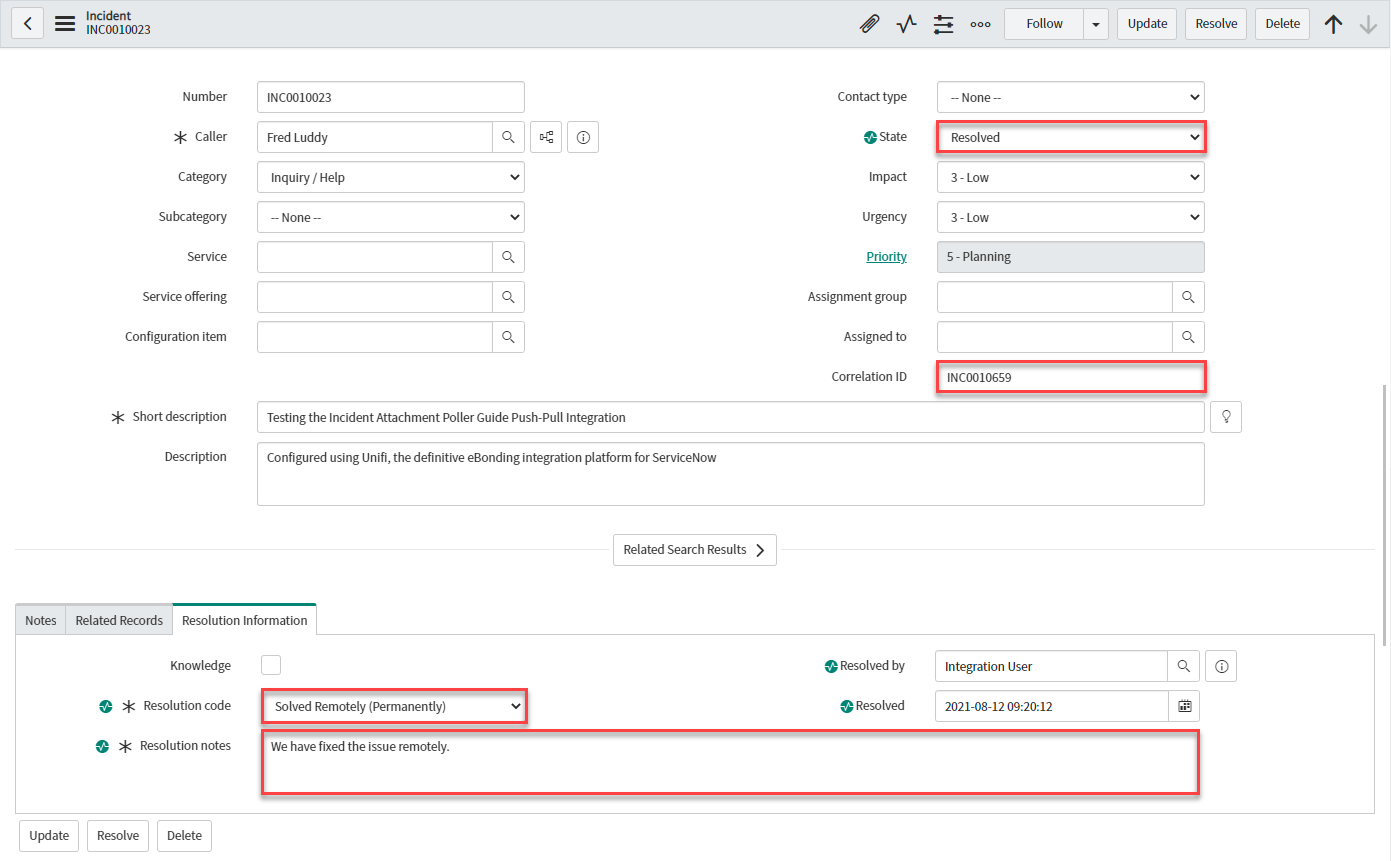
Confirm the Transaction has updated the bonded ticket in the remote instance:
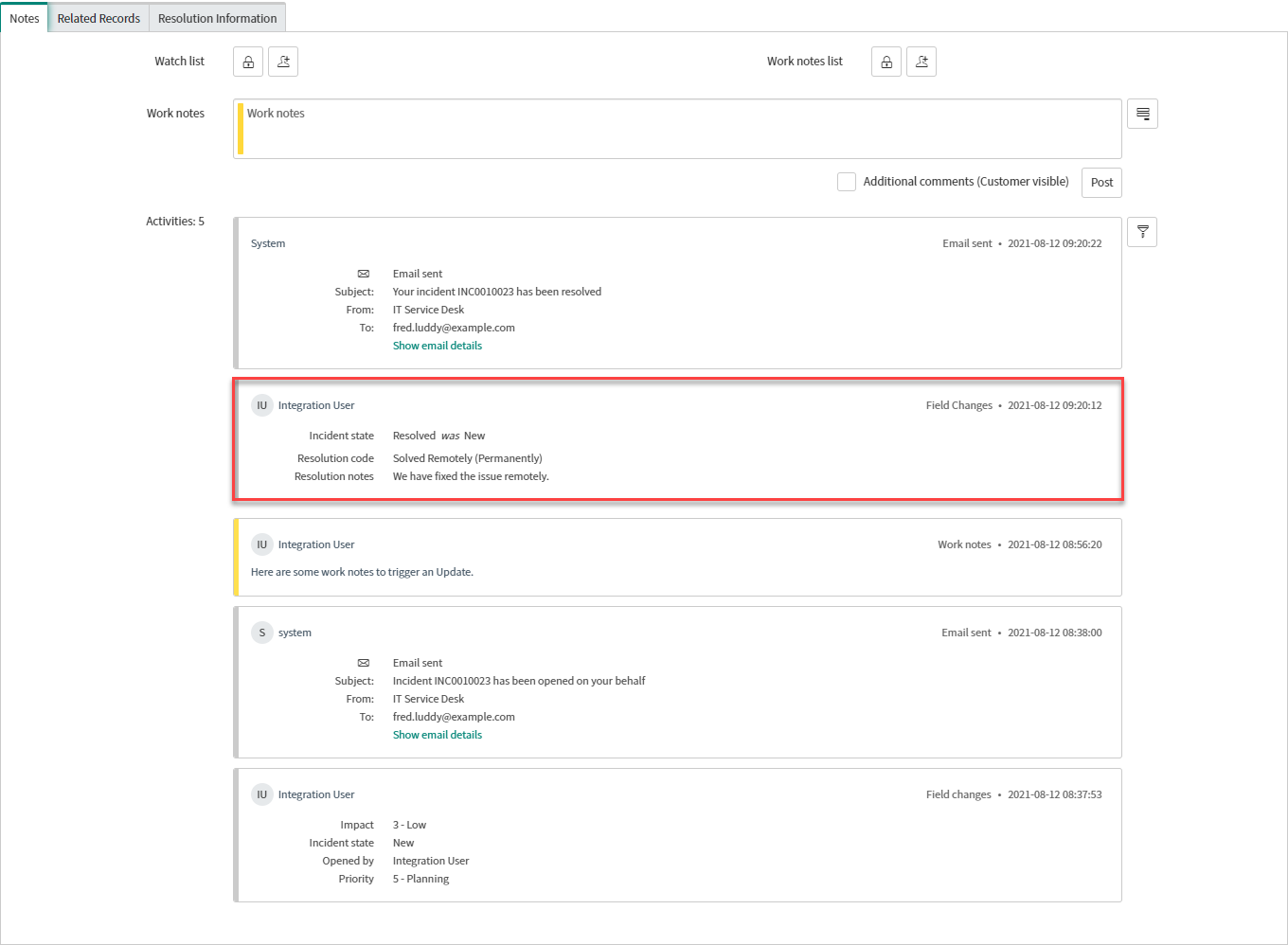
Navigate to the Notes tab to view the Activities stream:
Next, we shall test the CreateIncidentInbound Message.
Was this helpful?